
Business Central
Shopify Integration with Dynamics 365 Business Central
D365 Zone Services · Sep 2, 2026
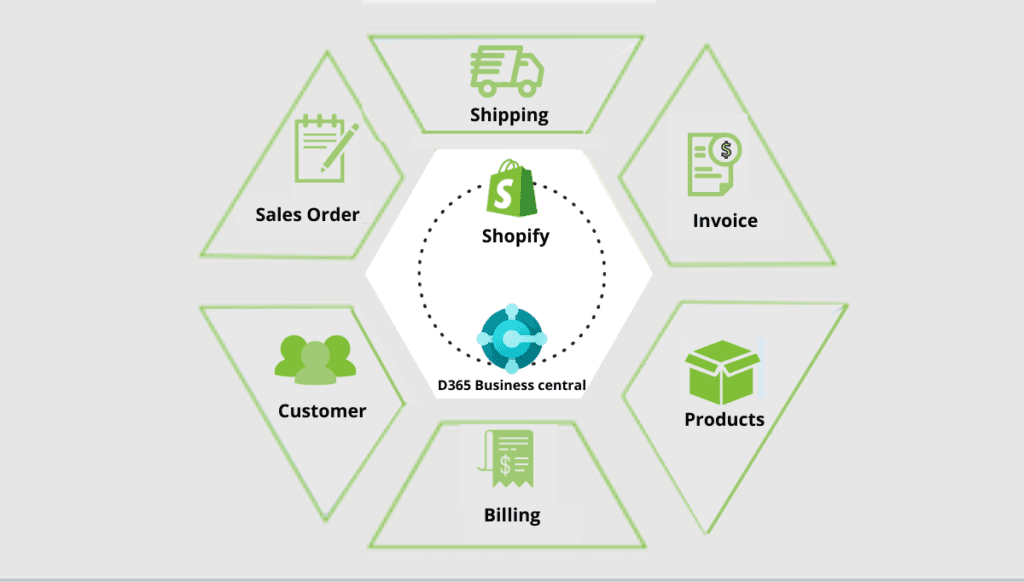
Here's a pattern we see a lot: a store sells on Shopify, keeps its books in Business Central, and someone on the team spends part of every day copying orders from one into the other. It works, until it doesn't. Stock counts drift. A customer's phone number gets updated in one system and not the other. Somebody ships 40 units instead of 4 because a decimal point got fat-fingered during manual entry. None of this is dramatic on its own, but it adds up fast, and it's the kind of thing that never shows up on anyone's to-do list until it's already caused a problem.
Connecting Shopify to Business Central gets rid of that middle step. Orders, customers, stock levels, fulfillment status - it all flows between the two automatically, so nobody's retyping anything. What you actually get out of it:
- One Business Central instance can run several Shopify storefronts at once
- Customer records and inventory counts match, no matter which channel someone's looking at
- Order status and fulfillment update on their own
- You edit product details once and they show up correctly everywhere
- Returns and order edits don't need to be entered twice
Two Ways to Get There
Most stores just install the pre-built connector. It's already tested, other merchants have been running it for years, and it covers what a typical Shopify-plus-BC operation needs without anyone writing a line of code. Some businesses can't use it though. Maybe the pricing logic is weird, maybe fulfillment runs through a third-party warehouse that the connector has never heard of, maybe there's a third system in the mix that also needs to talk to both. Those businesses end up going the custom-development route instead. It costs more and takes longer, but the result is shaped around how the business actually works rather than how the connector assumes it works.
Setting Up the Pre-Built Connector
There isn't much to it. Figure out what needs to sync first, customers, products, orders, inventory, or all of it, since that decision shapes everything after. Once the connector's picked, you install it from the Shopify App Store, that part's quick. Logging in takes both sets of credentials, Shopify and Business Central, so have those ready before you start. The part people skip and shouldn't: actually run it against real orders for a bit before you let it loose on live traffic unsupervised. It's tempting to flip it on and walk away, but a short supervised window catches the dumb stuff before a customer notices.
Why It's the Default Choice for Most Stores
Talk to enough clients about this and the same handful of reasons come up. Going live takes days, not months, which matters more than people expect when they're mid-migration and just want the bleeding to stop. There's no development bill either, which is the other half of that same equation. What people underestimate is how much benefit comes from the connector just having existed for years already. Thousands of other stores have run into the weird edge cases before you did, and most of those got fixed a long time ago, quietly, before you ever hit them yourself. On top of that, updates roll out on their own as Shopify or Business Central change underneath you, so you're not the one stuck patching things every time one of them ships something new.
When the Standard Connector Isn't Enough
Sometimes the fit just isn't there. A pricing structure more complicated than "one price per SKU" trips it up. A fulfillment process that routes through a warehouse partner the connector has no concept of trips it up too. When that happens, someone has to build the integration by hand, working directly against the Shopify and Business Central APIs: matching fields between the two systems, setting up authentication, and deciding what happens when something fails instead of letting it fail quietly and get noticed three weeks later.
Getting there usually means a handful of things happening more or less in this order. Someone has to generate API credentials on both sides first, obviously nothing works without that. Then comes the actual field mapping, which is honestly the tedious part: going line by line to make sure a "customer" in Shopify lines up with the right record type in Business Central, and same for products, orders, whatever else is in scope. After that you're building the real plumbing, the authentication, the data exchange, and deciding what happens when a call fails instead of just letting it disappear into a log nobody reads. And then testing, but not the easy happy-path stuff, actually throwing weird orders at it and seeing what breaks. Once it's live, it needs someone keeping an eye on it, because these things don't run themselves forever.
So Which One Do You Actually Need?
Honestly, for most stores the answer is the connector. It gets you live quickly and you never have to think about maintaining it. Custom development earns its cost when the two systems genuinely need to interact in a way the standard connector wasn't built for. Our advice, most of the time: start with the connector, and only move to a custom build once you've actually hit its ceiling. Building custom from day one, before you know where the standard option falls short, tends to be money spent solving a problem you didn't have yet.
D365 Zone Services
Microsoft Dynamics 365 Business Central implementation, integration, migration and support.
- UAE Office: Office 1406, Vision Tower, Business Bay, Dubai
- USA Office: InCorp Services, Inc., 55 W 14th St, Ste 101, Helena, MT 59601
- Email: sales@d365zone.com
- Phone: +1 (707) 731-6403
Areas served: United States, United Kingdom, France, United Arab Emirates, Saudi Arabia, Australia, Netherlands, Canada, Ireland, Germany, Belgium, Switzerland, Luxembourg, Sweden, Norway, Denmark, Qatar, Kuwait, Bahrain, New Zealand, Singapore
Keep Reading
- Shopify Integration for Business Central — Keep Shopify orders, customers, and stock in step with your ERP.
- Managing Bundles and Kits in Business Central — Keep bundle stock accurate with Assembly Management across sales channels.
- Amazon FBA Integration with Business Central — Why FBA orders, fees, and refunds belong in your ERP.
- Business Central Integration Services — Connect Business Central to your stores, marketplaces, banks, and tools.
- Shopify Plus & Business Central — When B2B, multiple stores, high order volumes, or custom processes call for more than the standard connector.