
Amazon Integration
Amazon's External Fulfillment Shipping API Explained
D365 Zone Services · Sep 18, 2026
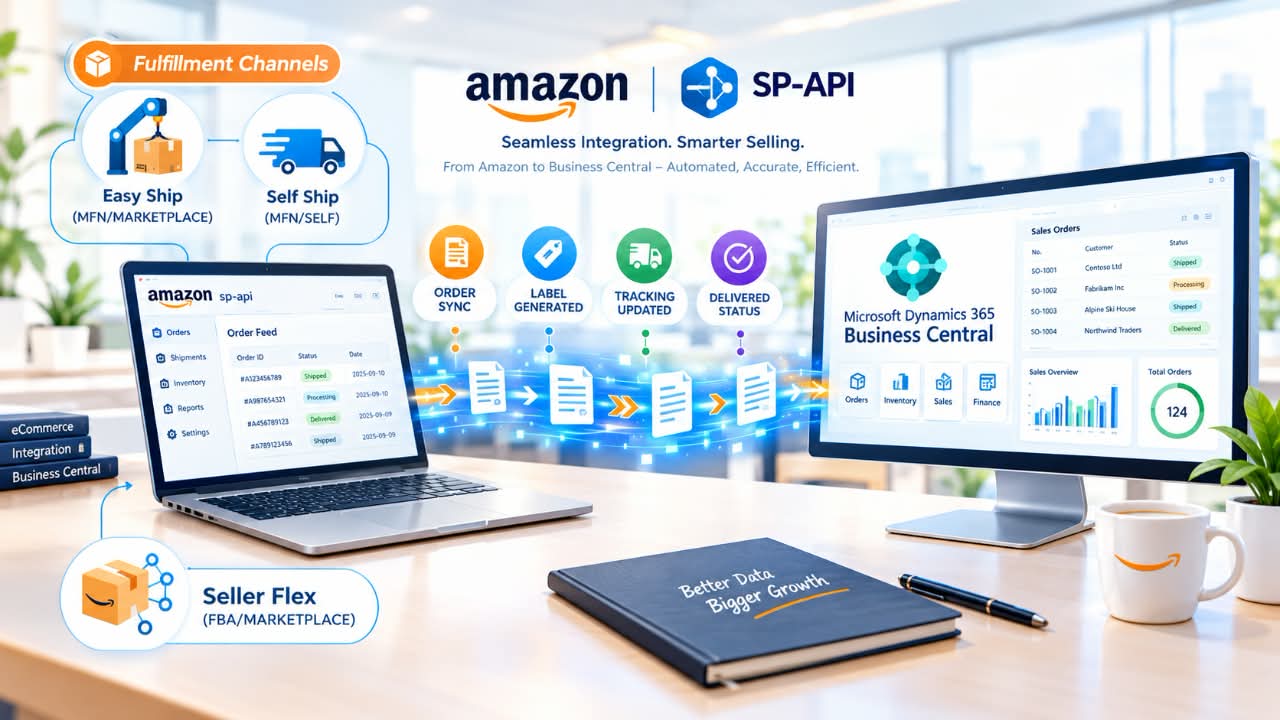
Amazon's Selling Partner API lets you address the needs of sellers who ship their orders themselves rather than through Amazon's FBA. The External Fulfillment Shipping API is designed to import orders needing fulfillment and update Amazon on the status of each shipment.
What Does It Cover?
The tool's current version is v2024-09-11, and it is available to market participants in the form of a sandbox environment for testing purposes. It covers three programs:
- Easy Ship
- Self Ship
- Seller Flex
The channel name and shipping type designations distinguish between them: Easy Ship is MFN/MARKETPLACE, Self Ship is MFN/SELF, and Seller Flex is FBA/MARKETPLACE.
What To Do Beforehand
You must install the restricted API. Calls to its endpoints require authorization from the selling partner, the shipment ID, and the Direct-to-Consumer Shipping (Restricted) role in your developer account. Selecting this role is mandatory in the app's registration settings.
Step 1: Determine What to Ship
The first step is to explore what needs to be shipped using getShipments. Set the query's status parameter to a value in the CREATED/ACCEPTED range. Explore a particular shipment using getShipment with the shipment ID.
- CREATED (Deprecated)
- The order was created via the API, only available for MFN channels.
- ACCEPTED
- Inventory was allocated to the shipment.
- CONFIRMED
- Confirmed using
processShipment. - PACKAGE_CREATED
- The package details have been submitted using
createPackages. - PICKUP_SLOT_RETRIEVED
- Pickup slots were retrieved using
retrieveShippingOptions. - INVOICE_GENERATED
- An invoice was generated, excluding Easy Ship with the exception of India.
- SHIPLABEL_GENERATED
- Labels have been generated.
- SHIPPED
- Packages were handed over to the carrier or marked as shipped.
- DELIVERED
- The package was delivered or marked delivered.
- CANCELLED
- The shipment was canceled by the seller or Amazon.
Step 2: Ship the Products
- Acknowledge the shipment: Call
processShipmentand designate the operation type asCONFIRMorCANCEL. - Create the package: Call
createPackages, entering the shipment ID and package details. - Retrieve shipping options: Call
retrieveShippingOptions. It returns null for Seller Flex because there is no selection to make. - Generate the invoice: Call
generateInvoice. The response includes a Base64-encoded document that must be converted to PDF. This step is skipped for Easy Ship, except in India. - Create the shipping label: Call
generateShipLabelswith the operation type set toGENERATE. Seller Flex supports PNG or ZPL, Easy Ship supports PNG, ZPL, or PDF, and Self Ship supports PNG only. TheshippingOptionsIdshould be URL-encoded. - Update the package status: Call
updatePackageStatusto set the status toSHIPPED,OUT_FOR_DELIVERY, orDELIVERED. This is unnecessary for Easy Ship because it is automatic, and it is unavailable for Seller Flex except in the UK, Spain, France, Germany, and Italy. It is only available between 6 am and 11:59 pm local time.
You can call updatePackage at any time after creating the package to amend its details.
The status table includes several transitions. SHIPPED/OUT_FOR_DELIVERY/OutForDelivery is a non-terminal state; DELIVERED/DELIVERED/DeliveredToCustomer is terminal. There are also rejected and delivery statuses such as CustomerNotAvailable and RejectedByCustomer. For the Self Delivery Program, if an attempt fails, the package status must change from OUT_FOR_DELIVERY to OUT_FOR_DELIVERY the following day. If delivery is successful, the DELIVERED status is given for the same day.
Why You Need It To Integrate Business Central
The External Fulfillment Shipping API lets you synchronize your ERP with orders being handled in real time. It imports the details of new orders and updates the tracking information of shipped orders, removing the need for manual processing. Since the tools are restricted, you must request Amazon's approval before proceeding to build the integration.
This overview is based on Amazon's official SP-API documentation for the External Fulfillment Shipping API, version v2024-09-11. If you need assistance implementing an Amazon-to-Business-Central integration, contact the D365ZONE team.
D365 Zone Services
Microsoft Dynamics 365 Business Central implementation, integration, migration and support.
- UAE Office: Office 1406, Vision Tower, Business Bay, Dubai
- USA Office: InCorp Services, Inc., 55 W 14th St, Ste 101, Helena, MT 59601
- Email: sales@d365zone.com
- Phone: +1 (707) 731-6403
Areas served: United States, United Kingdom, France, United Arab Emirates, Saudi Arabia, Australia, Netherlands, Canada, Ireland, Germany, Belgium, Switzerland, Luxembourg, Sweden, Norway, Denmark, Qatar, Kuwait, Bahrain, New Zealand, Singapore
Keep Reading
- Amazon Integration for Business Central — Sync Amazon orders, inventory, fees, and fulfillment with Business Central.
- Testing Amazon SP-API in Sandbox — Dry-run Amazon calls with mock data before they reach Business Central.
- Amazon FBA vs FBM: What Is the Difference? — How the two fulfillment programs compare for cost, control, and accounting.
- Business Central Integration Services — Connect Business Central to your stores, marketplaces, banks, and tools.